 CrateEdit Pro
Serato DJ 5 is out: Lucid Beatgrids, Open Streaming and cue loops
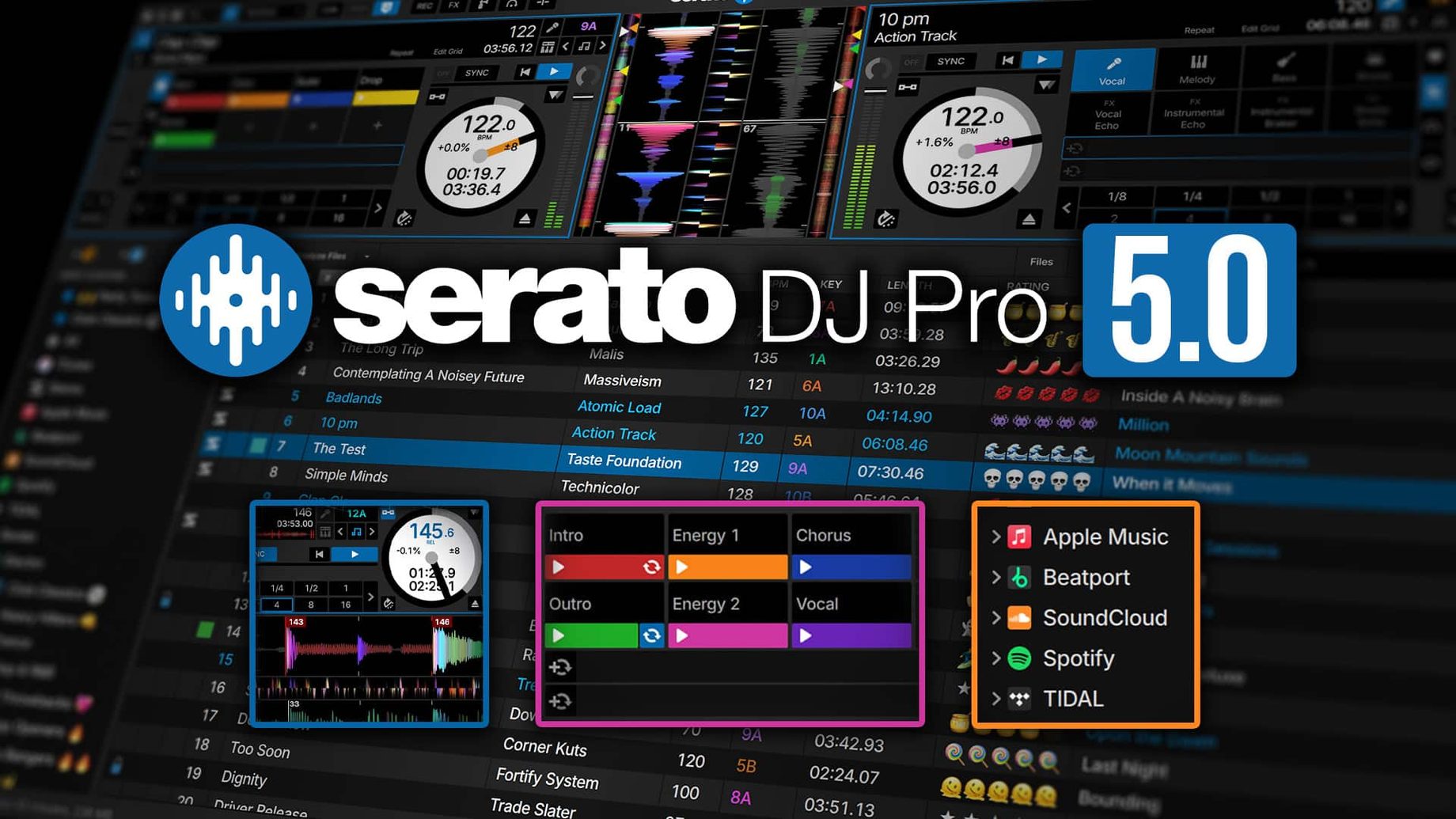
Serato DJ Pro 5.0. From left: a flexible beatgrid with BPM labels, cue loop pads and the streaming services.
Image: We Are Crossfader
Serato DJ 5.0 came out of beta on October 20, 2026. The headline is Lucid Beatgrids, a new analysis that follows a track’s tempo when it moves. Here’s what changed, what happens to the grids you already have, and what to switch on first.
What’s new, in one minute
- Lucid Beatgrids. A rebuilt beatgrid analysis that tracks tempo changes. Flexible grids are now the default, and fixed grids are still there with better downbeat detection.
- Open Streaming. Log in to several streaming services at once, each one its own crate, and mix them with your own files.
- Cue Loops. One pad fires a hot cue and a loop from the same marker, in Serato DJ Pro and the new iOS app.
- Serato DJ for iOS and iOS Transfer. Serato’s first iPhone and iPad app, and a way to send crates, cue points, beatgrids and keys to it.
- Smaller things. A setting that stops tracks being removed from inside the app, M3U and M3U8 playlist import back, and new default Tidal DJ playlists.
Lucid Beatgrids: the grid follows the drummer
Most dance records made since the 1990s were built in a computer, so their tempo never moves. Records played by a band are different. A funk, soul or disco drummer speeds up into the chorus and settles back down, and a grid set to one tempo slides off the beat as the track goes on. Serato calls it out directly: older funk, soul and disco tracks that weren’t made to a click track.
One tempo for the whole track

A flexible grid

Why a band record needs a flexible grid. The same made-up drummer on both strips speeds up a little through the bar. A grid set to one tempo (top) starts on the kick and slides off it; a flexible grid (bottom) follows every hit. An example drawn for this page, not a picture of Serato.
Lucid’s flexible analysis maps the tempo changes across the whole track and puts the beat markers where the beats are. Serato says it works on fixed-tempo tracks too, which is why it’s now the default. Where the tempo changes, the waveforms show a BPM label, and you choose whether those changes land on the bar (the default) or on any beat. Two new editing tools come with it: Set Grid Start, and Set Beat, which moves a single beat inside a bar.
The grids you already have are safe
Updating doesn’t touch your existing beatgrids. A track gets a Lucid grid only when you analyze it again: right-click it and choose Analyze, or drag it onto Analyze Files. Serato’s own advice is not to re-analyze the whole library, only the tracks that need work, and it says a library opened in an older version of Serato DJ Pro or Lite stays exactly as you left it.
If you’ve fixed grids by hand, lock them before you start. Serato’s help says locked files don’t get a new beatgrid calculated when they’re analyzed again.
Open Streaming
Until now you were logged in to one streaming service at a time. In 5.0 you can stay logged in to several, each shows up as its own crate, and a dropdown next to the search bar picks which service to search. Streamed tracks and your own files sit side by side in the same session. Switch it on in Setup, on the Library + Display tab.
| Service | In Serato DJ 5 | Key and BPM before analysis |
|---|---|---|
| Beatport | Yes | Yes |
| Tidal | Yes | Yes |
| SoundCloud | Yes | Yes |
| Spotify | Yes | Yes |
| Apple Music | Yes | Not yet |
The streaming services in Serato DJ 5. All five can be logged in at once; key and BPM show before analysis on four of them. From Serato’s announcement and MusicRadar’s report.
Key and BPM now show for streamed tracks as soon as you browse them, before any analysis, on every service but Apple Music for now.
Cue Loops
A cue loop puts a hot cue and a loop on one pad: press it and the track jumps to the cue and starts looping, with no second button. It’s built for the moves where you’d hit a cue and then a loop button, like holding a vocal tag or a drum break over the next track.
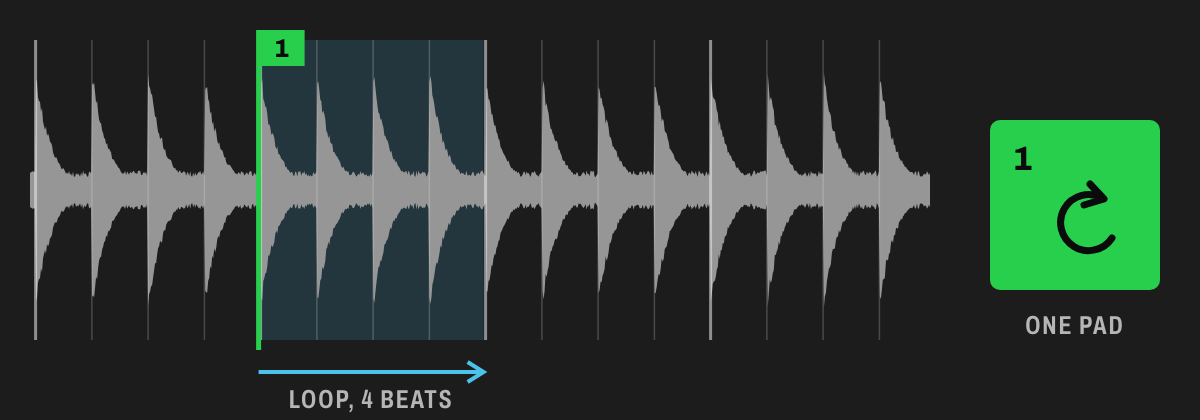
A cue loop. The marker is the hot cue; the shaded bars are the loop it starts. One press of the pad does both. An example drawn for this page.
Turn Cue Loops on in Setup. To make one, set a loop, keep the playhead inside it and tap an empty cue pad. The pad shows a loop icon. Cue Loops work in Serato DJ Pro and in Serato DJ for iOS.
Serato DJ for iOS and iOS Transfer
Serato’s first iOS app runs on the same engine as Serato DJ Pro, with decks, waveforms, crates and performance pads, and works with more than 120 hardware setups. It’s free to download and try. The advanced features take either a one-time purchase of $149 or a Serato DJ Suite subscription at $14.99 a month, and Suite subscribers get them at no extra cost. It needs iOS or iPadOS 18.6 or later.
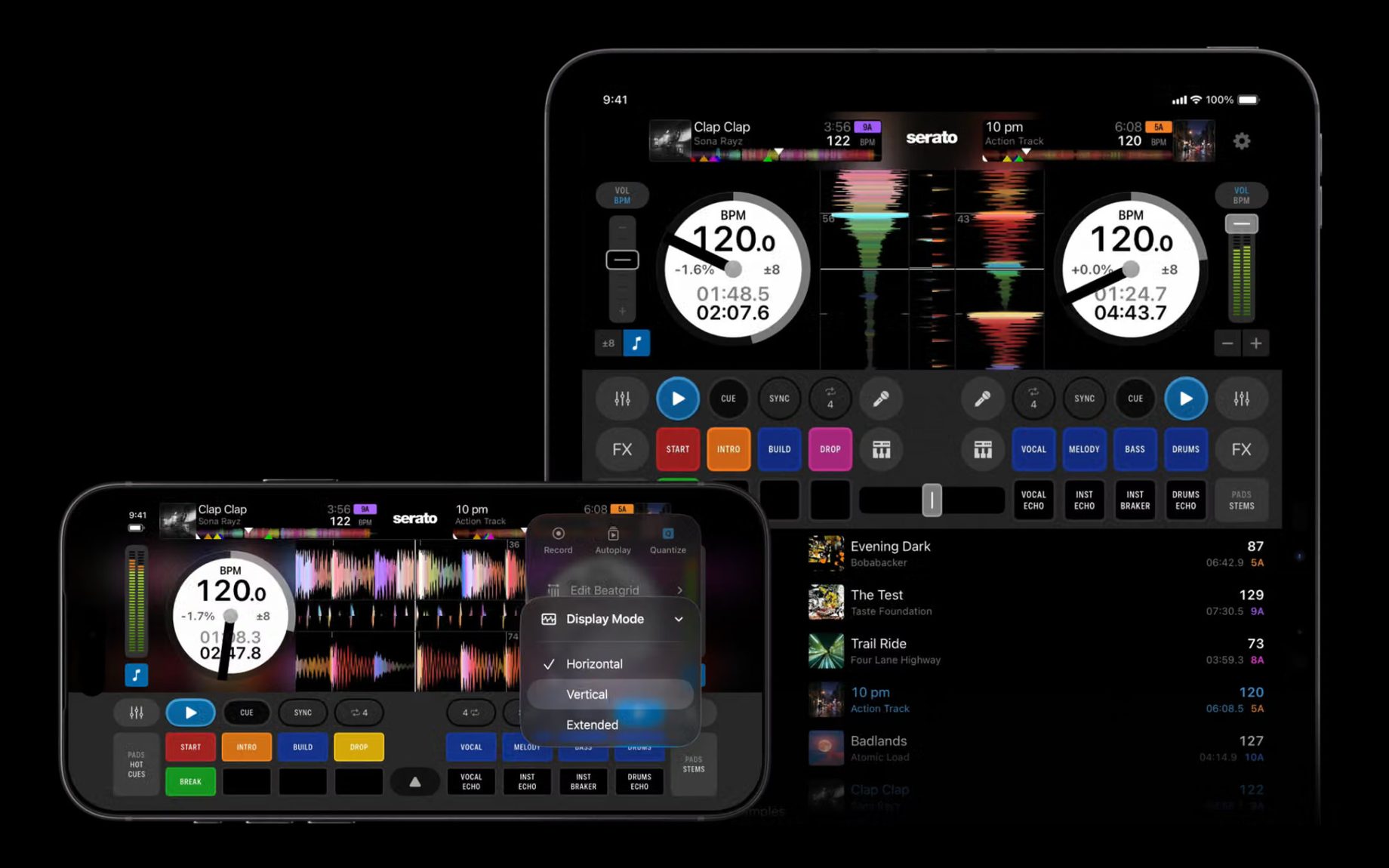
Serato DJ for iOS on an iPad and an iPhone. It came out with Serato DJ 5.0.
Image: Serato
iOS Transfer sends crates and songs from your laptop to the app, with their cue points, beatgrids and keys, over Wi-Fi or a cable. The tracks are stored on the phone or tablet, so you can play offline. It needs Serato DJ 5.0 on the laptop.
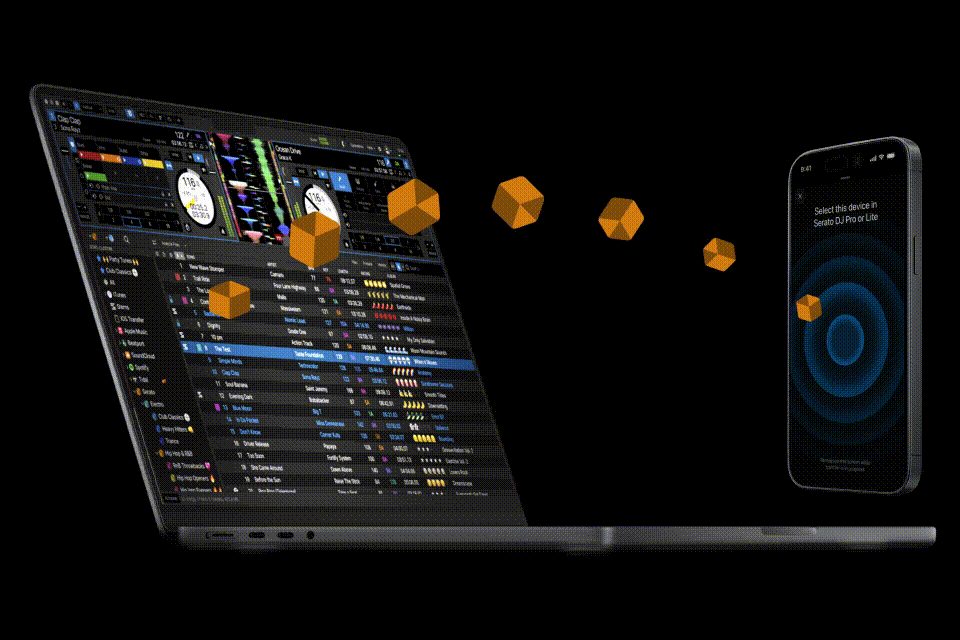
iOS Transfer. Crates go from the laptop to the phone or tablet, with their cue points, beatgrids and keys.
Image: Serato
The smaller things
- Protect Library. A Setup option that stops tracks being removed from your library, your crates or your computer from inside the app.
- M3U and M3U8 import is back. Drag a playlist file in and Serato makes a crate of the tracks it can match.
- New default Tidal DJ playlists.
What to do first
- Back up your library before you update. Your crates live in the _Serato_ folder in your Music folder, and on the root of every drive you’ve added music from.
- Update, then don’t re-analyze everything. Try Lucid on a handful of tracks whose grids drift, and compare.
- Lock the grids you’ve fixed by hand.
- Turn on Open Streaming and Cue Loops in Setup, if you’ll use them.
If you prep with CrateEdit Pro
CrateEdit Pro already writes flexible beatgrids and Serato’s cue loops to a whole crate at once, compatible with your Serato library. Serato DJ 5 keeps those grids until you analyze a track again, so you choose which grids to keep and which to hand to Lucid.
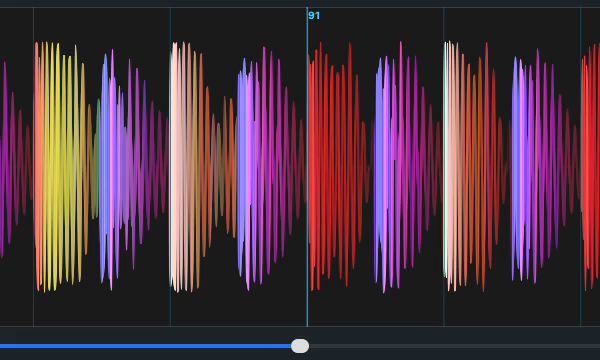
In CrateEdit Pro. The Grid panel with Fluid grid ticked: the beat lines follow the track, and Write Grid to Serato puts the grid in the file.
Sources
- What’s New in Serato DJ 5.0, Serato, October 20, 2026.
- The public beta for Serato DJ 5.0 is here, MusicTech, September 2026.
- Serato’s latest update introduces open streaming and Lucid Beatgrids, MusicRadar, September 2026.
- Serato DJ 5.0 launches with a new app for iPhone and iPad, Notebookcheck, October 20, 2026: the iOS app’s price and requirements.
- Analysis setting, Serato support: locked files and new beatgrids.
- The _Serato_ folder, Serato support.