 CrateEdit Pro
Loudness
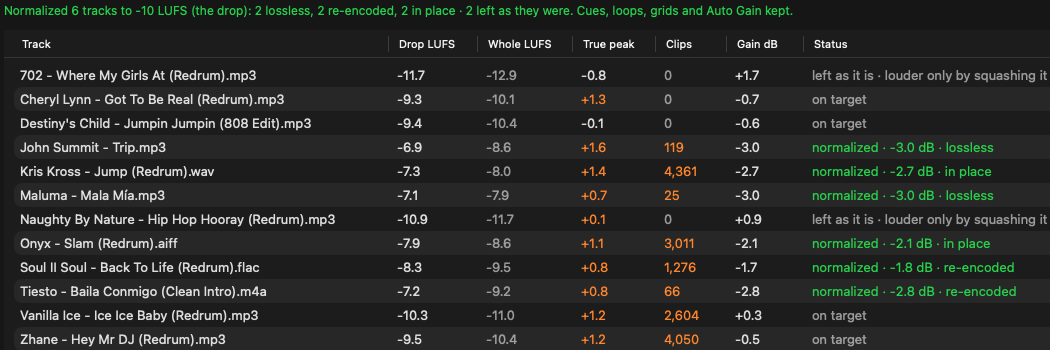
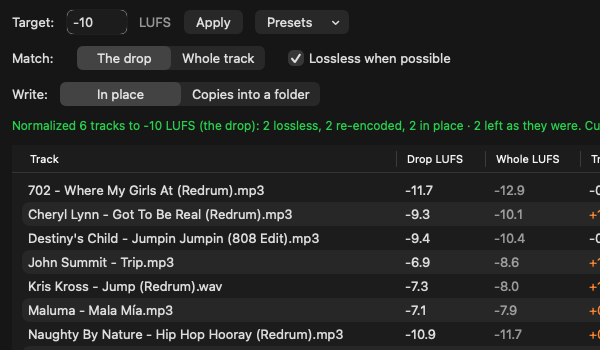
One LUFS target for the whole crate, matched on the drop. An MP3 turned down stays lossless, and Serato’s cues, loops and grid stay right.
changes the audio · whole crate
One app instead of four. The last prep tool you’ll buy.

CrateEdit Pro does the whole prep in one window, before the gig: beatgrids, gain, loudness, key, hot cues, tags and artwork, for MP3, WAV, AIFF, FLAC and M4A. Raw downloads go in. A crate that is ready for Serato comes out. Crate Prep does most of it in one go, and can watch your downloads folder while the app is open. Next Track ranks what mixes next and Set Builder puts a crate in the order that mixes best. Your crates go onto a USB stick for Pioneer DJ or Engine DJ players, rekordbox can get the same grids, cues and keys, and your Serato library gets a daily backup while the app is open.
A native Mac app for Serato DJ Pro 4 and 5 · macOS 13 or later, Apple Silicon
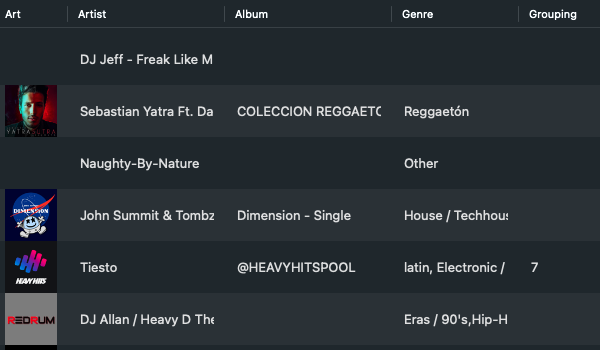
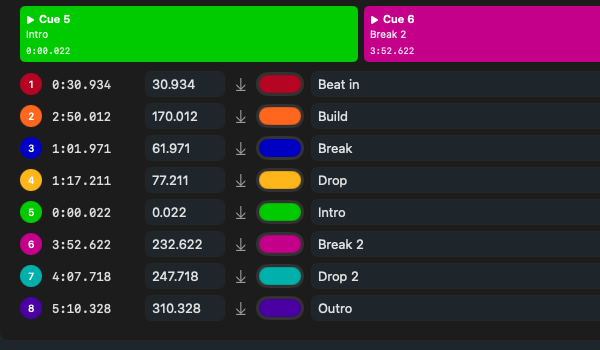
A folder of grids checked and written, gain knobs set back to zero, loudness and true peak measured, a grid locked to the kick and hot cues named: the prep in one film.

Filmed in the app, with a voice and an original beat. Every cut lands on a beat grid CrateEdit Pro wrote.
Get your crate club-ready with one app. Drop in a folder, and CrateEdit Pro checks the beatgrid of every track, puts the worst on top, and writes the good grids for your Serato library. Gain knobs all over the place? Set them back to zero in one pass. Measure loudness and true peak before the gig. Lock a grid to the kick. Save named hot cues and cue loops. CrateEdit Pro does every prep job, for one low price, with no subscription.
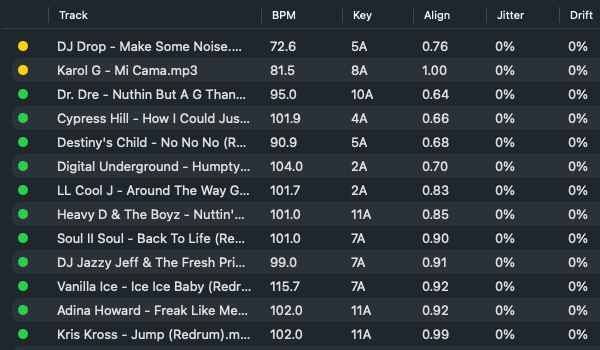
Drop a folder in. Every track gets three numbers, and the list sorts worst first. You open the few that need a look and skip the rest. One click writes the good grids to Serato.
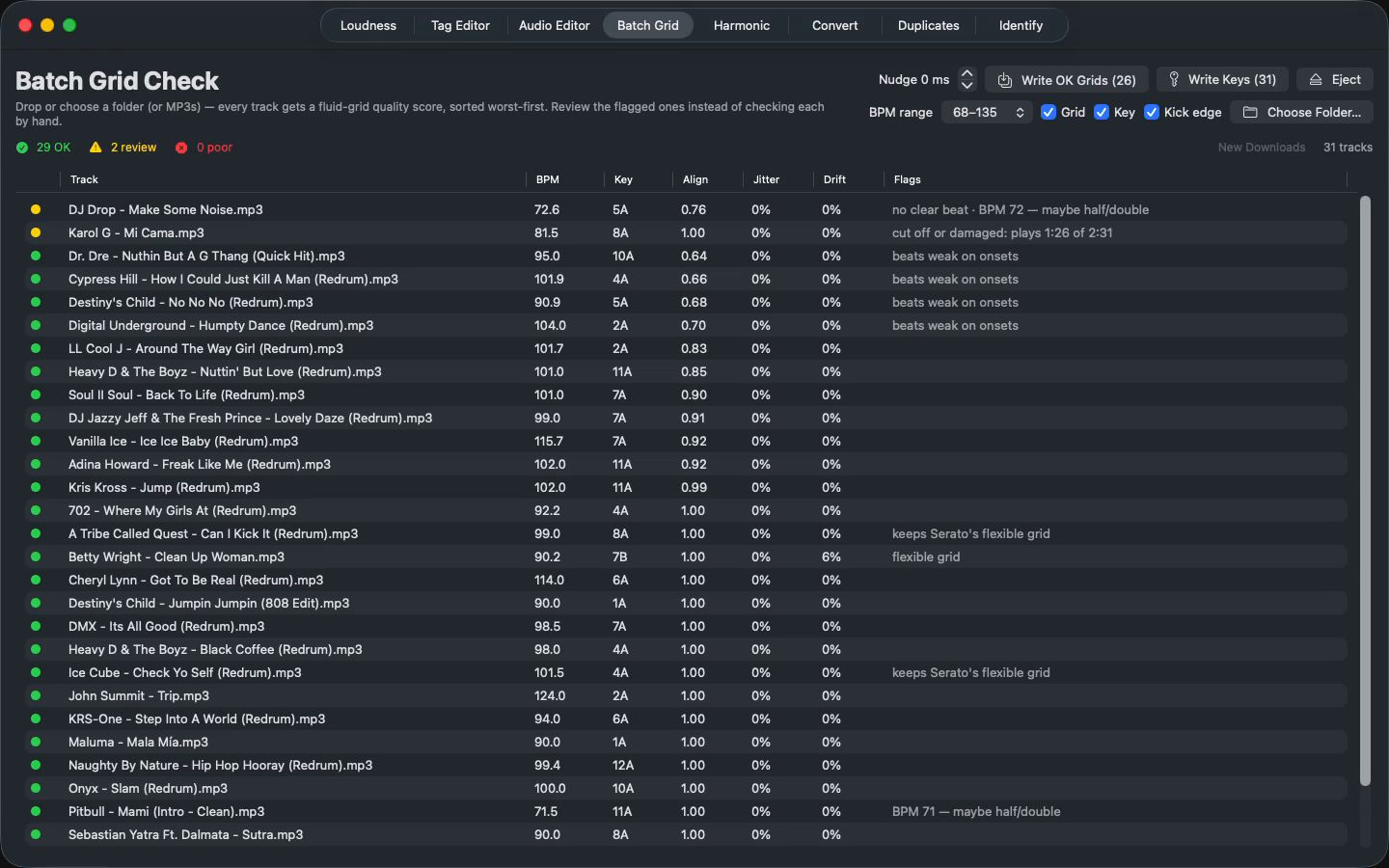
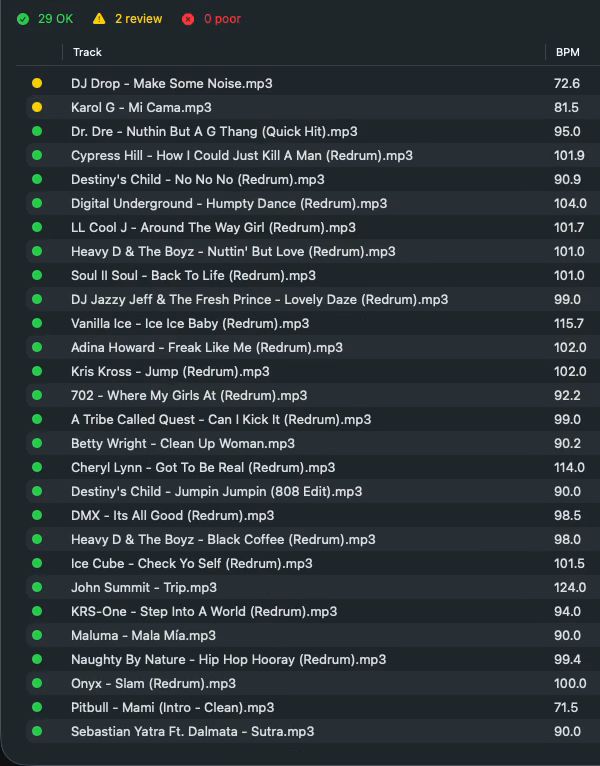
A folder of 31 tracks dropped into Batch Grid, in real time on a Mac Studio (M4 Max). Two rows end up marked for review: one file has no clear beat, the other is cut off.
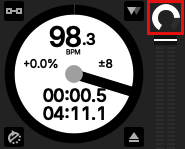
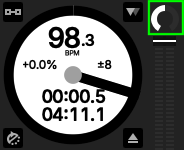
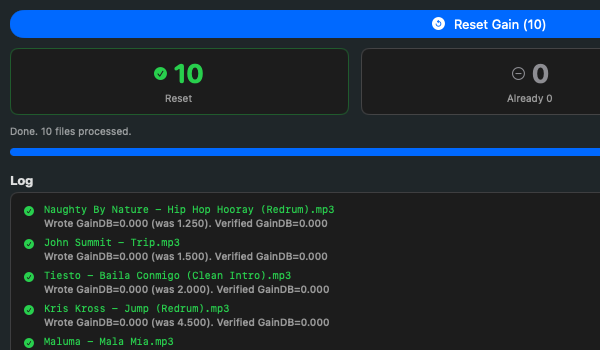
Serato saves it with the track. CrateEdit Pro zeroes the stored gain back to 0 dB, for one file or a whole crate, so nothing jumps out at you mid-set.
First of its kind. No other app does it.
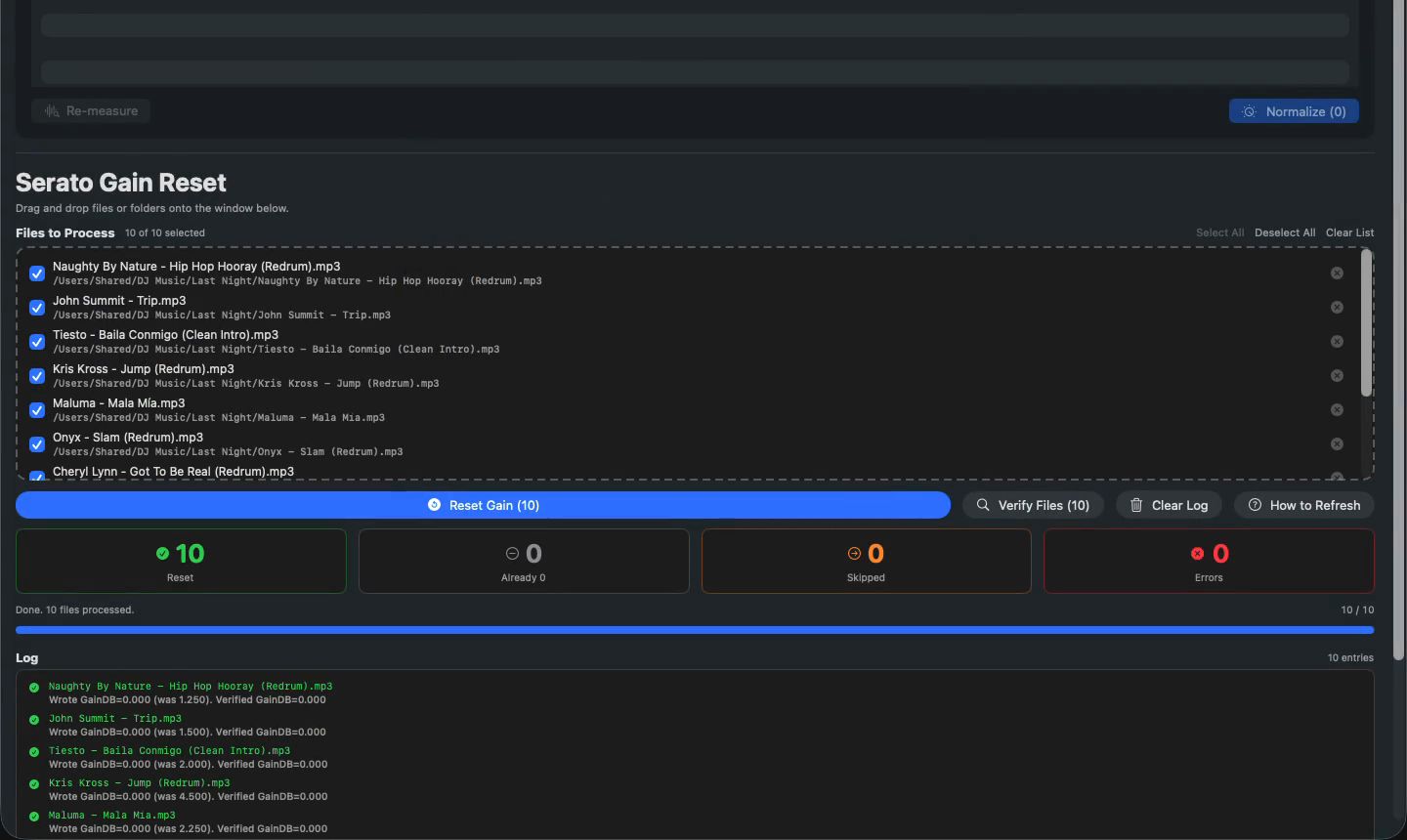
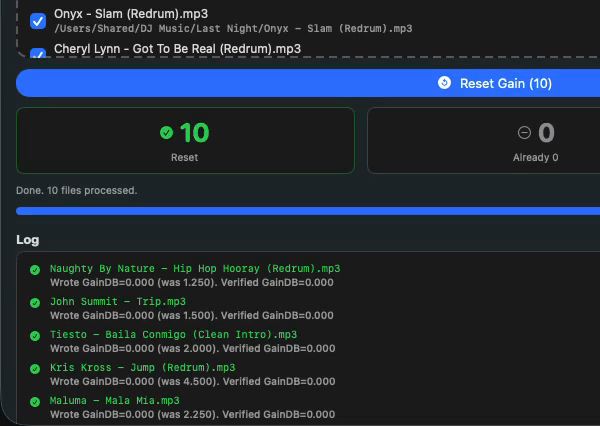
Ten tracks dropped in, one click, and the app reads each file back to check the gain is at 0 dB. The last step is yours: Re-scan File Info in Serato.
Serato’s analysis is automatic and it stops there. The other way is by hand: find the wrong grids yourself, then one app for loudness, another for key, another for tags.
Ten more tools in the same window. Each one says what it writes: the audio itself, tags only, or neither.
One LUFS target for the whole crate, matched on the drop. An MP3 turned down stays lossless, and Serato’s cues, loops and grid stay right.
changes the audio · whole crate
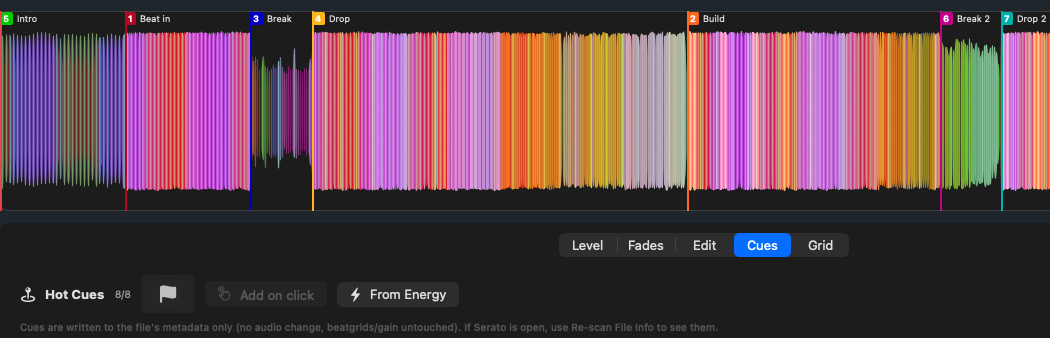
Up to eight named, colored Serato hot cues per track: placed on a whole crate in one pass, or set by hand on the waveform.
tags only · one track or a crate
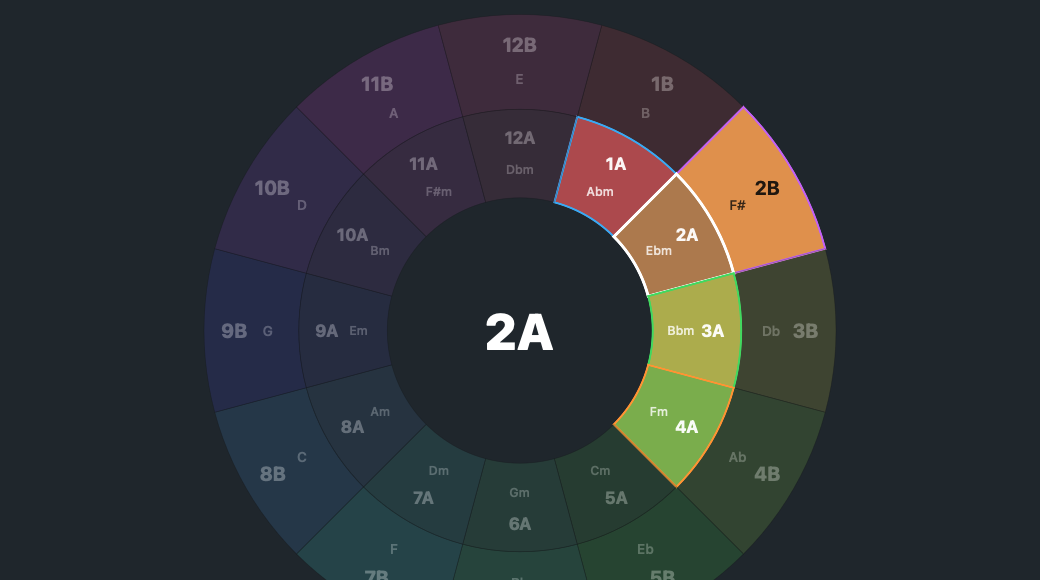
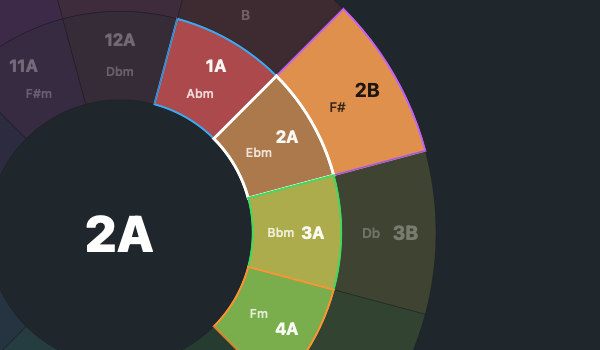
Detects the key, maps it to the Camelot wheel and writes it to the tag Serato reads.
tags only · whole crate
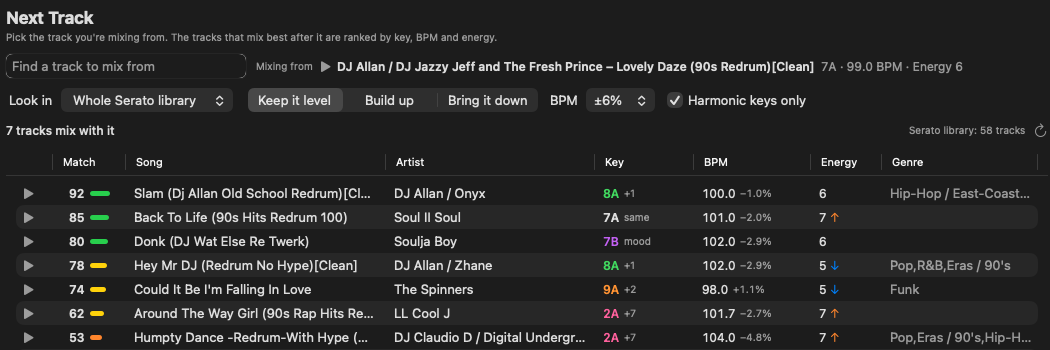
Ranks what mixes after the track you pick, by key, BPM and energy, and builds a set you can save as a crate. Set Builder puts a whole crate in the order that mixes best.
writes nothing · until you save a set
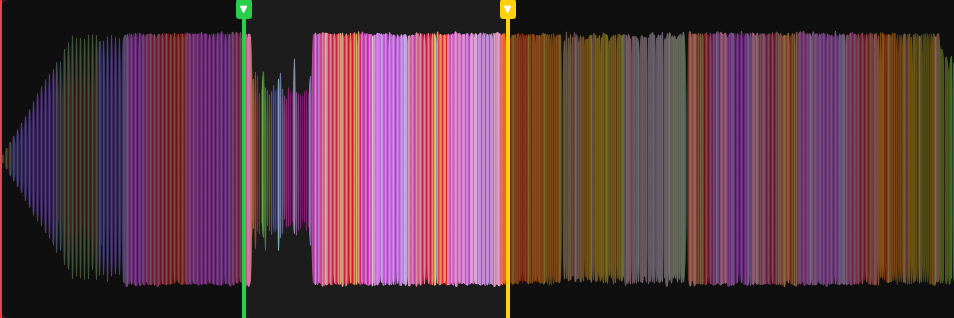
Trim, fade and crop without a DAW. Nothing is written until you save.
changes the audio · one track
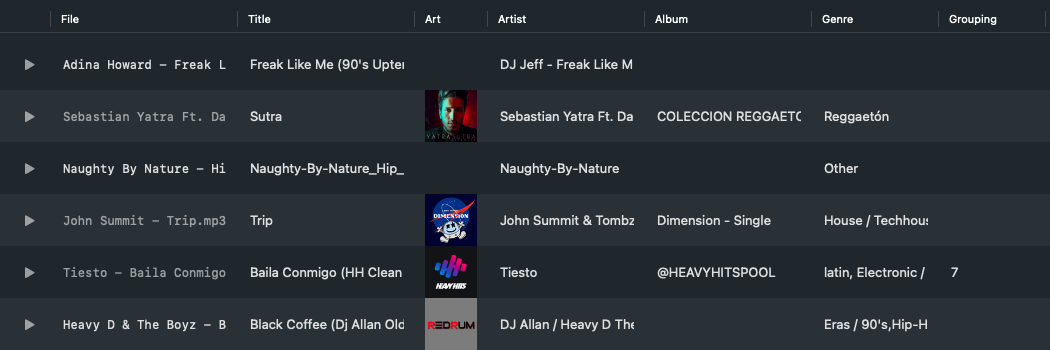
Fix tags in one table. Find missing album art, year and genre online.
tags only · whole crate
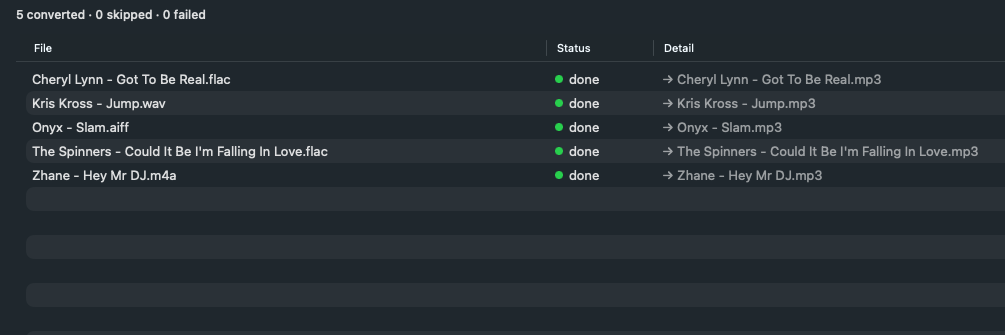
WAV, AIFF, FLAC, M4A/AAC, ALAC and CAF into 320 kbps MP3s, files or folders.
makes a new MP3 · files or folders
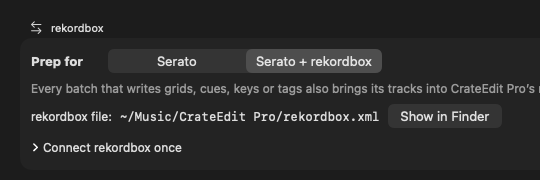
Grids, hot cues, loops and keys from Serato to rekordbox and back, with crates as playlists and playlists as crates.
tags only · MP3, WAV, AIFF, FLAC, M4A
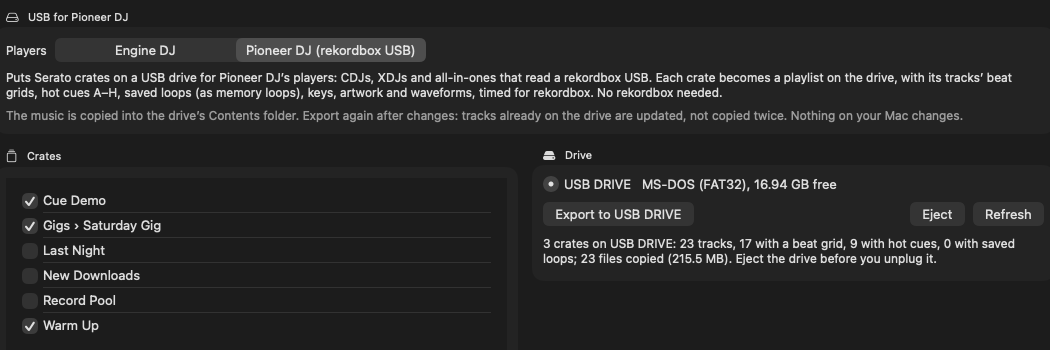
Serato crates onto a USB stick for Pioneer DJ or Engine DJ players, with grids, hot cues, loops and keys. No rekordbox needed.
writes to the stick · nothing on your Mac changes
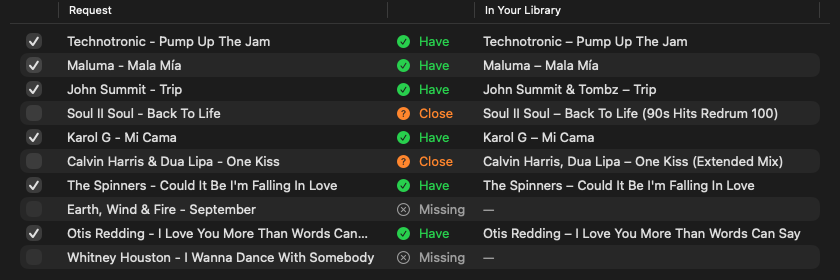
Paste the requests and see what you have, what is close and what is missing. Save the ones you have as a crate.
writes nothing · until you save a crate
Loudness, edits and conversion change the audio, so keep a backup of anything you can’t replace. Grids, cues, key, gain reset and tags are written as tags only, and your Serato library itself can be backed up every day. See every feature
Normalize to one LUFS target, lossless when it can be.
Trim and fade the tracks that need it.
Batch-check grids and fix the flagged ones.
Detect key and write it to the tag.
Fix tags and artwork across the crate.
Place them on the whole crate, then fix any by hand.
Import into Serato, ready to play.
Out now. Pay once, and your license key and the download link come by email right away.
No spam. Only news about CrateEdit Pro, and you can unsubscribe any time: just reply “unsubscribe” to any email. We never share your address.